
How to Set Up a Family Info Hub So No One Has to Keep Asking Where Things Are
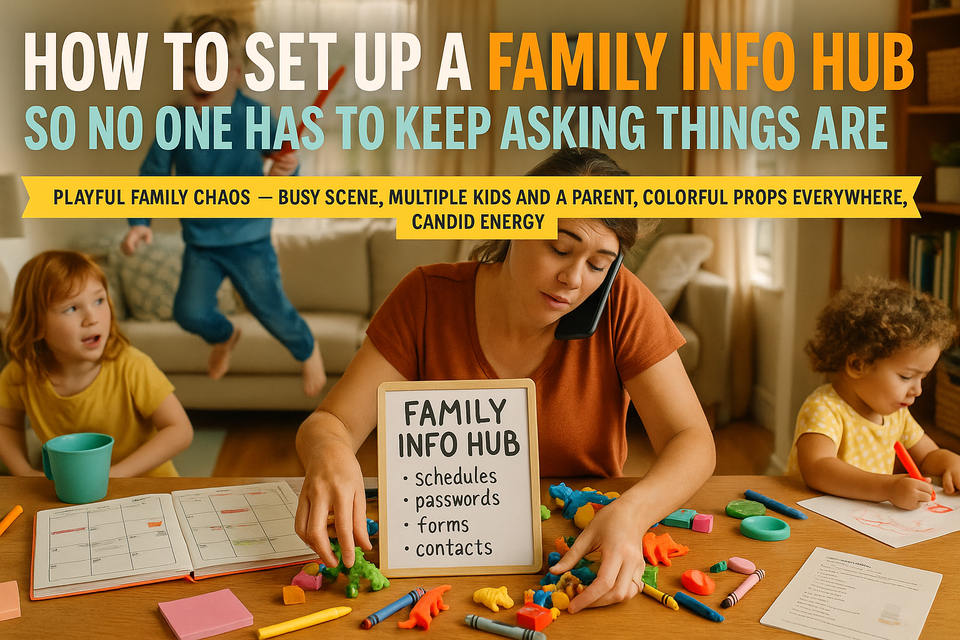
If you’re the person everyone asks when they need anything, you already know how tiring it gets.
Where’s the insurance card?
What time is pickup?
What’s the Wi-Fi password?
Did anyone sign the field trip form?
Which neighbor has the spare key?
It’s not that your family can’t do things. It’s that too much important information lives in one person’s head.
That works until you’re at work, in the shower, driving, sick, or simply too tired to be the household search engine.
A family info hub fixes that. It gives your household one central place to find the things people keep asking about: schedules, school info, contacts, routines, passwords, forms, and everyday instructions. It doesn’t need to be fancy. It just needs to be easy to use and easy to keep up.
What a Family Info Hub Actually Is
A family info hub is one reliable home base for the information your family needs regularly.
It can be:
- A binder in the kitchen
- A shared digital folder
- A wall calendar plus a small file box
- Or, for most families, a mix of paper and digital
The goal is simple: stop making one parent the backup system for everything.
Why This Helps More Than You Think
When information is scattered across texts, email threads, school portals, sticky notes, and your own memory, small tasks become harder than they need to be.
A good info hub helps with things like:
- Fewer repeated questions
- Less mental load on one parent
- Easier handoffs between adults
- More independence for older kids
- Faster mornings and smoother evenings
- Less panic when something urgent comes up
Real Talk: this won’t mean nobody ever asks you anything again. But it can cut down the constant interruptions and make your household less dependent on one person remembering every detail.
What to Include in Your Family Info Hub
You do not need to store every piece of paper your family has ever touched. Start with the information people ask for, lose, or need on short notice.
1. Family schedule
Keep one current place for:
- School events
- Sports and activities
- Appointment times
- Work schedule changes
- Carpool details
- Early dismissal days
- Practices, games, and performances
If your family already uses a digital calendar, great. Add a simple paper version in a visible spot for quick reference.
2. School information
Include:
- School login links or portal directions
- Teacher names and contact info
- Class schedules for older kids
- Bus numbers or transportation details
- Lunch account info
- Activity forms and deadlines
- A spot for papers that need signatures
One folder labeled “To Sign/To Return” saves a surprising amount of stress.
3. Household contacts
Make one list with:
- Pediatrician and dentist
- Trusted neighbors
- Babysitters
- Emergency contacts
- Coaches and activity leaders
- Pet sitter or vet
- Landlord, plumber, electrician, or handyman if relevant
This matters most when someone else is helping with pickup, staying home with a sick kid, or handling a last-minute problem.
4. Routine information
Write down the things you repeat all the time:
- Morning checklist
- After-school routine
- Bedtime expectations
- Chore assignments
- Laundry basics
- Pet care instructions
- What kids should do if they get home before you
If your kids are old enough to read it, they are old enough to use it.
5. Frequently needed household info
This is the category that saves the most random interruptions.
Include practical things like:
- Wi-Fi name and password
- Streaming login location if appropriate
- Alarm instructions
- Spare key location
- Trash and recycling days
- Medication instructions that are safe to share
- Where to find batteries, flashlights, stamps, scissors, and extra chargers
- Basic appliance instructions
You’re basically creating a cheat sheet for how your house works.
6. Important documents and forms
Keep a simple, easy-to-access system for:
- School forms
- Sports physicals
- Insurance cards
- Immunization records
- Permission slips
- Copies of ID or emergency information where appropriate
You don’t need to keep original legal documents in the kitchen binder. For sensitive items, store copies or a note saying exactly where the originals are kept.
7. Passwords and sensitive information
This part needs extra care.
Instead of writing every password in an unsecured notebook, consider:
- A password manager for adults
- A secure shared note for essential family accounts
- Clear instructions for how a spouse or partner can access critical logins if needed
At minimum, make sure another adult in the household can access:
- School portals
- Utility accounts
- Insurance information
- Shared calendars
- Medical portals if appropriate
The point is not to make private information public. It’s to make sure your household isn’t stuck if one person is unavailable.
Choose a Setup You’ll Actually Maintain
The best info hub is not the prettiest one. It’s the one your family will actually use.
Here are three realistic options.
Option 1: The kitchen command center
Best for families who need things visible.
Set up:
- Wall calendar
- Bulletin board or whiteboard
- Small file holder with labeled folders
- Basket for incoming papers
Good folder labels:
- To Sign
- This Week
- School
- Activities
- Receipts
- Important
Option 2: The family binder
Best for families who like paper and want one grab-and-go place.
Sections might include:
- Monthly calendar
- Contacts
- School info
- Routines
- Meal ideas
- Medical info
- Password instructions
- Emergency plan
This works especially well for babysitters, grandparents, or older teens who need to find information quickly.
Option 3: The shared digital hub
Best for families already using phones and shared apps.
You might use:
- Shared calendar
- Shared notes app
- Cloud folder for forms and records
- Family group chat only for updates, not storage
If you go digital, make sure everyone knows where the information lives. A system spread across six apps is not really a system.
How to Set It Up Without Turning It Into a Big Project
You do not need a full weekend and a label maker marathon.
Start small:
- Pick one home base: binder, board, or digital folder.
- Add the five things people ask you for most.
- Create simple labels.
- Put it in a location everyone can access.
- Tell the family where it is and how to use it.
That’s enough to get started.
Then add more over the next couple of weeks as questions come up.
A good rule: every time someone asks you where something is, ask yourself, “Should this live in the hub?”
Make It Easy for Other People to Use
A family info hub only helps if people can find what they need in under a minute.
That means:
- Use plain labels, not cute ones only you understand
- Keep categories broad and obvious
- Don’t overstuff it
- Put the most-used items in front
- Remove outdated papers regularly
- Show kids and your partner how to use it
If needed, post a simple note that says:
- Check the calendar first
- Check the To Sign folder
- Check the contacts list
- Check the routine page
Yes, this may feel a little repetitive at first. That’s normal. Systems usually need a short training period.
What to Keep Private
Not every piece of information belongs in a shared family space.
Be thoughtful about:
- Full financial account details
- Private medical information
- Sensitive legal documents
- Passwords older kids should not have access to
A practical solution is to have:
- One shared household hub
- One secure adult-only location for sensitive information
You want your system to be useful, not careless.
A Simple Weekly Reset
This is the part that keeps the hub from becoming another abandoned organizing project.
Once a week, take 10 minutes to:
- Update the calendar
- Empty the paper pile
- Remove expired forms
- Add new school or activity info
- Check what needs signatures
- Replace anything missing from the front of the binder or board
Tie it to something you already do, like meal planning, grocery ordering, or Sunday evening prep.
If Your Family Resists It
This is common, especially if everyone is used to asking you.
Instead of making a speech, try this:
- Answer with, “Check the hub first.”
- Walk them to it a few times.
- Keep it current so they trust it.
- Make older kids responsible for checking it themselves.
The first few weeks may feel slower, not faster. That doesn’t mean it’s failing. It means your family is learning a new habit.
The Real Goal
This isn’t about creating a perfect command center or becoming the kind of family with color-coded clipboards and flawless routines.
It’s about making everyday life less fragile.
When important information lives in one place instead of one person’s head, the whole household works better. People can step in. Kids can be more independent. Another adult can handle pickup, appointments, or paperwork without needing a full briefing.
And maybe most importantly, you get to stop carrying quite so much of the invisible load alone.
Conclusion
A family info hub is one of those small systems that makes home life feel more manageable, not because it solves everything, but because it removes a lot of preventable friction.
Start with the basics. Keep it simple. Let it be practical instead of pretty.
If your family can find the schedule, the forms, the passwords, the contact list, and the instructions they need without asking you every time, that’s already a big win.