
How to Build a Family Calendar That Actually Gets Used
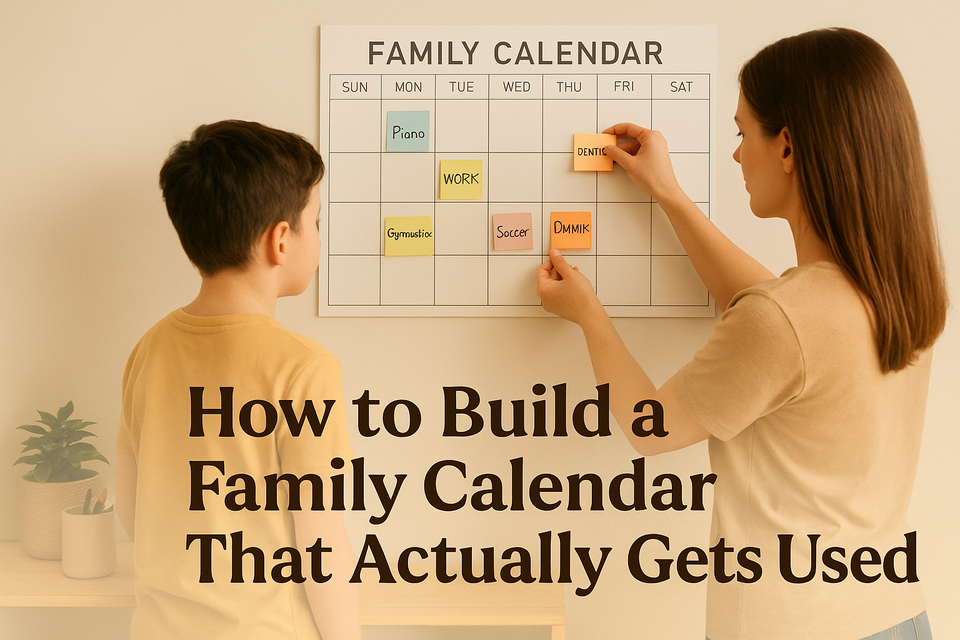
If your family calendar currently lives in six different places—school emails, text messages, a paper planner, someone’s brain, and that one sticky note on the counter—you are not alone.
Most families do not need a perfect scheduling system. They need one place that answers the daily questions quickly:
- Who needs to be where today?
- What is coming up this week?
- What can’t be missed?
- Who is handling pickup, dinner, or rides?
That is what a good family calendar is for. Not to turn your home into a project management office. Just to reduce the constant mental load of keeping track of everyone’s moving parts.
The key is simple: the best family calendar is not the fanciest one. It is the one your family will actually check and update.
Start with one calendar, not five
A lot of family calendar systems fail because they become too complicated too fast. One app for school, one for sports, one for work, one shared note for groceries, and somehow nobody knows there is a band concert on Thursday.
Start with one main calendar that acts as the family’s source of truth.
That calendar should hold:
- School events
- Sports and activities
- Work shifts that affect family logistics
- Appointments
- Rides, pickups, and drop-offs
- Important reminders
- Big family plans like travel, birthdays, and holidays
This does not mean every detail of every person’s life has to go on it. It means anything that affects the household schedule goes in one shared place.
If an event changes who is home, who is driving, what time dinner happens, or whether someone needs to remember equipment, it belongs on the family calendar.
Choose the format your family will really use
There is no prize for picking the most organized-looking system. The right choice depends on what your family already does naturally.
For most busy families, the easiest setup is:
- One shared digital calendar for real-time updates
- One visible weekly view at home for quick check-ins
That might look like a shared Google Calendar plus a dry-erase board in the kitchen. Or an Apple family calendar plus a paper week planner on the fridge. The exact tools matter less than whether people can access them easily.
A digital calendar helps because:
- It updates instantly
- Multiple adults can add events
- Teens can check it on their phones
- Reminders can be built in
- You can color-code without creating a giant wall system
A visible home calendar helps because:
- It is a quick visual cue for the week
- Younger kids can see what is happening
- It keeps the schedule from living only inside phones
- It prompts those everyday conversations: “Wait, who has practice Wednesday?”
Real Talk: if your family never remembers to look at an app, app-only probably will not solve the problem.
Keep categories simple
Color-coding can be helpful. It can also become one more thing to manage.
Keep it simple enough that anyone can understand it at a glance.
A basic setup might be:
- Blue: School
- Green: Sports and activities
- Red: Appointments and must-not-miss events
- Gray: Work shifts or travel
- Yellow: Family plans and social events
You can also color by person if that works better for your household. Just do not build a system so detailed that entering one dentist appointment feels like filing taxes.
The goal is fast entry and easy reading.
Decide what gets added—and who adds it
This is where many calendars break down. People assume someone else is handling it.
A family calendar needs a few clear rules.
Try these:
1. If it affects the household, it goes on the calendar
That includes:
- Early dismissals
- Practices and games
- Evening work events
- Doctor visits
- School spirit days if they require prep
- Deadlines that will create stress if forgotten
2. Add events as soon as you know about them
Do not wait until Sunday night. If the coach sends the schedule on Tuesday, add it Tuesday.
3. Each adult owns their own updates
One parent should not be the unpaid air traffic controller for the entire household.
If one adult gets the orthodontist text, that adult adds it. If one parent’s work shift changes, that parent updates it.
4. Older kids can help
Pre-teens and teens are old enough to say:
- “I have rehearsal added for Thursday.”
- “Coach moved practice to 5:30.”
- “I need to leave early Friday for the field trip.”
Even if they are not entering every event themselves, they can learn to check the calendar and communicate changes.
Create a weekly reset, not a daily rescue mission
You do not need to spend an hour every night talking through logistics. A short weekly check-in does more than constant scrambling.
Pick one regular time each week. For many families, that is:
- Sunday evening
- Monday morning
- Friday afternoon if weekends are packed
Keep it short—10 to 15 minutes is enough.
During that check-in, review:
- Big events for the week
- Any schedule conflicts
- Transportation needs
- Who is handling pickups or dinners on busy nights
- Supplies, forms, uniforms, or gear needed
- Anything unusual, like late meetings or early departures
This one habit turns the calendar from a list into a working system.
Use the calendar for logistics, not just events
A family calendar works better when it answers practical questions, not just dates and times.
Instead of entering:
- “Soccer game 6:00 PM”
Try entering:
- “Soccer game 6:00 PM – leave by 5:15, blue jersey, Mom driving”
Instead of:
- “School concert”
Try:
- “School concert 7:00 PM – arrive 6:30, black shoes, Dad pickup for sibling”
That little bit of context saves a lot of back-and-forth texting later.
You do not need a novel in each entry. Just enough to reduce confusion.
Build in reminders for the things people actually forget
Most families do not miss events because they do not care. They miss them because life is loud.
Use reminders for the things that commonly get lost in the shuffle:
- Permission slips
- Medication refills
- Sign-up deadlines
- Picture day
- Billing due dates
- Bring-snacks days
- Leaving time, not just event time
Leaving-time reminders are especially helpful for teens and busy adults. A reminder that says “Leave at 4:40” is often more useful than “Game at 5:30.”
Make it visible in everyday life
A calendar that is technically shared but hidden in a submenu on one parent’s phone is not really shared.
Make it easy to see.
A few practical ways:
- Put the weekly home calendar in the kitchen or near the door
- Add the digital calendar widget to phones
- Keep the same naming style for events so they are easy to scan
- Mention the calendar in everyday conversation: “Check the calendar” becomes normal
This matters because habits form around convenience. If checking the calendar takes effort, people will stop doing it.
Expect some messiness at first
The first few weeks may feel clunky.
You will forget to add things.
Someone will still text, “What time is pickup?” even though it is on the calendar.
A teen will announce an event 12 hours before it happens.
That does not mean the system is failing. It means you are building a new family habit.
Give it a little time, and keep improving the parts that create friction.
Ask:
- What keeps getting missed?
- What feels annoying to enter?
- Does everyone know where to look?
- Are we putting too much on the calendar, or not enough?
A useful family system should get simpler over time, not more complicated.
A realistic starter setup
If you want to keep this as easy as possible, start here:
Your basic family calendar system
- Choose one shared digital calendar.
- Put one weekly calendar view in a visible spot at home.
- Use 4 to 5 simple color categories.
- Add only events that affect the household.
- Include key logistics in the event notes.
- Set reminders for deadlines and leave times.
- Do a 10-minute weekly review.
That is enough. You do not need a binder, a label maker, and a whole new personality.
When the system is working
You will know the calendar is helping when:
- Fewer surprises pop up during the week
- The same questions get asked less often
- Pickups and rides feel clearer
- One parent is carrying less of the mental load
- Kids start checking what is happening without being told every time
Not because the week becomes perfectly smooth. It will not. But because your family has one place to regroup when life gets busy.
Conclusion
A family calendar does not need to be beautiful to be useful. It just needs to be clear, shared, and simple enough to keep going on a normal Tuesday when everyone is tired.
That is really the goal: not a perfect system, but a dependable one. One place for the important stuff. One habit of checking it. One less thing to keep entirely in your head.
And for busy families, that is often more than enough to make the week feel a little more manageable.